
Find transactions instantly
Returns search results in a fraction of a second, even on very large databases.
Fast, flexible transaction search windows for Dynamics GP. Free.
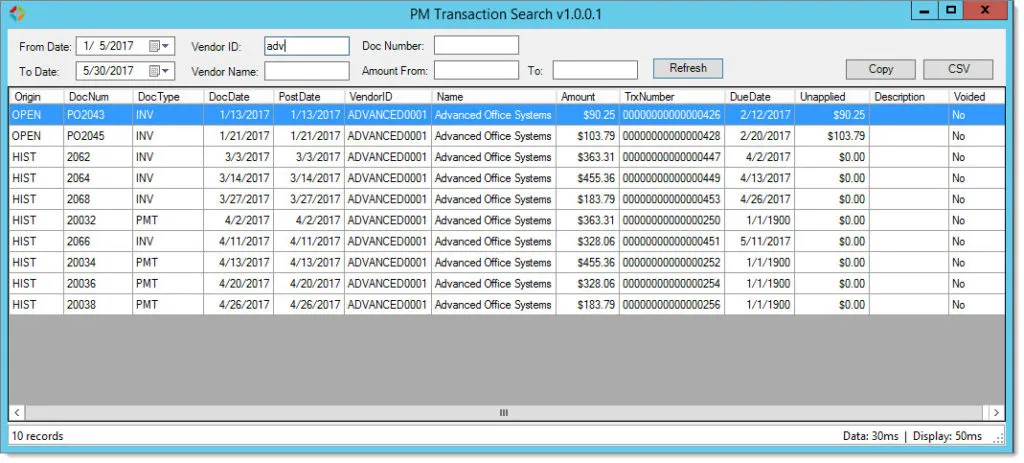
The standard Dynamics GP transaction inquiry windows were not built for large databases. GP Transaction Search is.
Each PM, RM, and SOP search window runs a single stored procedure and returns results in milliseconds, filtering as you type. Find the transaction, drill into the record, and export the grid when you need to. It is free, open source, and built to replace the inquiry windows your team waits on every day.
The standard Dynamics GP transaction inquiry windows can be slow and rigid, especially on large databases. Finding a specific PM, RM, or SOP transaction can take minutes and several clicks.
GP Transaction Search adds PM, RM, and SOP search windows that return results in a fraction of a second, even on very large databases. Filter as you type, see how many records matched and how long the search took, and drill straight into the master or transaction record.
Returns search results in a fraction of a second, even on very large databases.
Search Payables, Receivables, and Sales Order Processing transactions.
Filters results in real time as you type in the search fields.
Shows the number of matching records and the time taken to retrieve and display the data.
Right-click or double-click to open the master record or the transaction record.
Copy grid data to the clipboard for Excel, or export it to a CSV file.
Add or remove fields by modifying the single SQL stored procedure behind each window.
Free to use, with the C# source code available on GitHub.
A fast Payables transaction search window that filters as you type and shows the match count and the retrieval time.
A Sales Order Processing search window with the same fast, filter-as-you-type behavior.
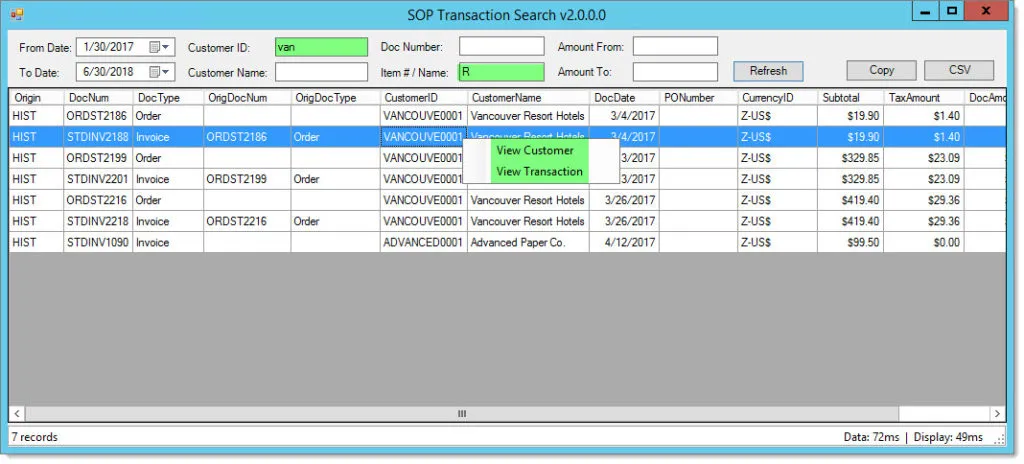
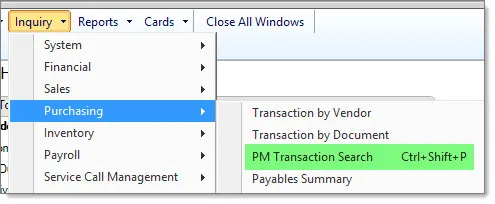
The search windows are added to custom Dynamics GP menus for quick access.
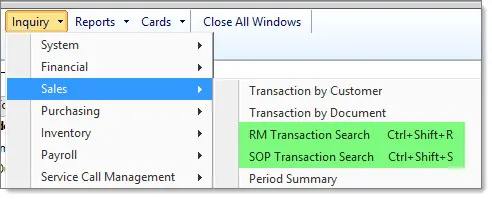
Open any search window with a Ctrl+Shift keyboard shortcut, without leaving the keyboard.
Download and install the free Winthrop Visual Studio Integration Toolkit (VSIT), which GP Transaction Search requires.
Add the GP Transaction Search AddIn to your Dynamics GP installation.
Use the custom Dynamics GP menus or the keyboard shortcuts to open the PM, RM, or SOP search window.
Type to filter the results, then double-click or right-click to open the record you need.
Supported: Dynamics GP 2016 through 18.x.
Free to download and use. Links open in a new tab.
Yes. GP Transaction Search is free and open source. The C# source code is on GitHub.
GP Transaction Search requires the free Winthrop Visual Studio Integration Toolkit (VSIT), which is downloaded and installed separately.
Yes. Each window uses a single SQL stored procedure, which you can modify to add or remove fields.
Dynamics GP 2016 through 18.x.